AI-Powered Lead Qualification & Automated Follow-Up System

An end-to-end lead management automation that uses AI to qualify incoming leads, route them based on buying intent, nurture low-priority prospects, and automatically follow up when the right time arrives.

Platform Make.com
AI OpenAI
Integrations Google Sheets · Gmail · Slack
Type Lead Management Automation

The problem

Manually reviewing every new inquiry takes time. Sales teams also need to decide which leads require immediate attention, which need further evaluation, and which should be followed up with later.

Without a structured process, promising leads can be overlooked and lower-priority prospects can easily be forgotten.

The solution

I built a two-stage automation in Make.com that combines AI lead qualification with automated follow-up.

OpenAI analyzes each inquiry and produces structured qualification data. Make then routes the lead according to its temperature while a second scheduled workflow handles leads that require future nurturing.

AI Lead Qualification & Routing

The first workflow receives new leads, analyzes their buying intent with AI, stores the results, and determines the appropriate next action.

01
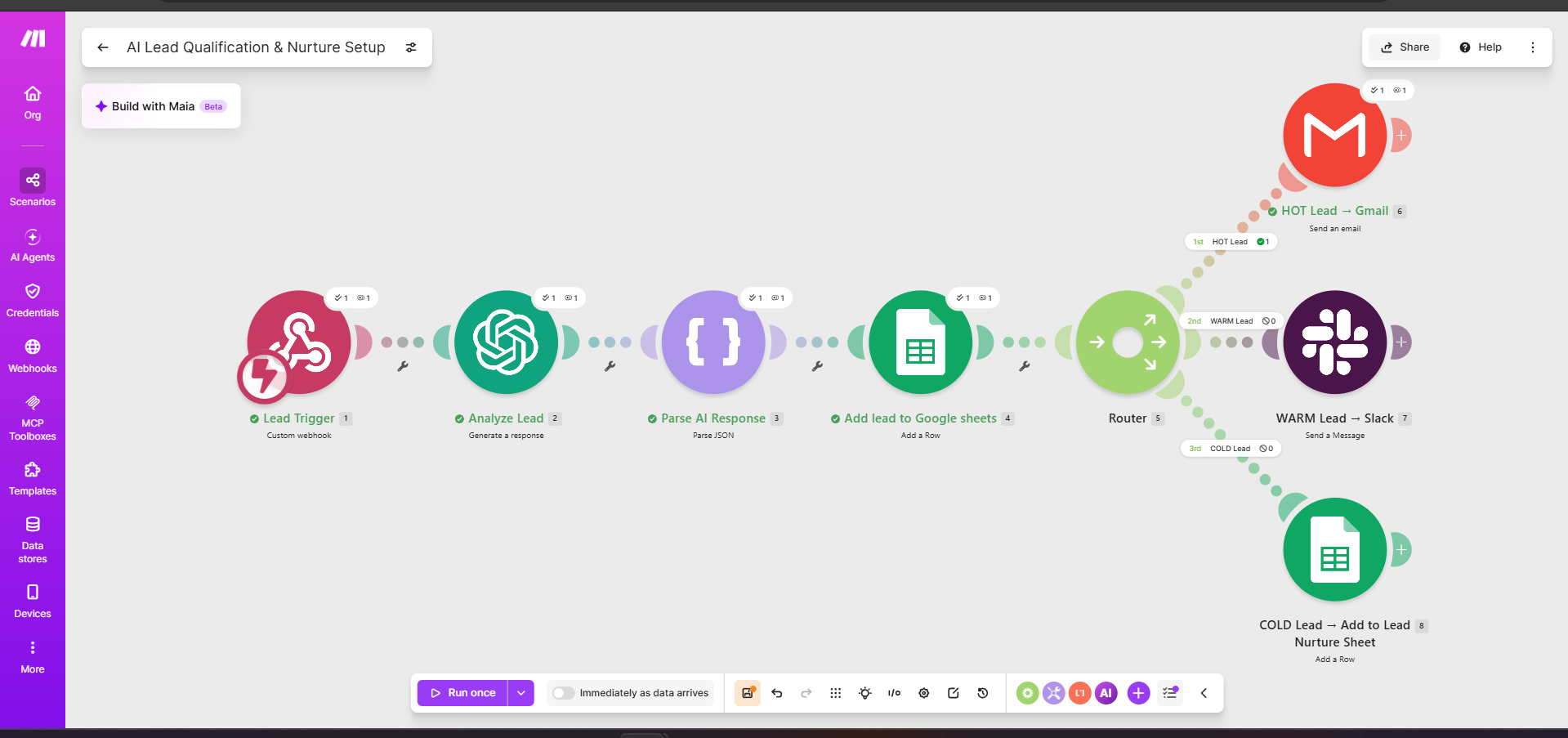
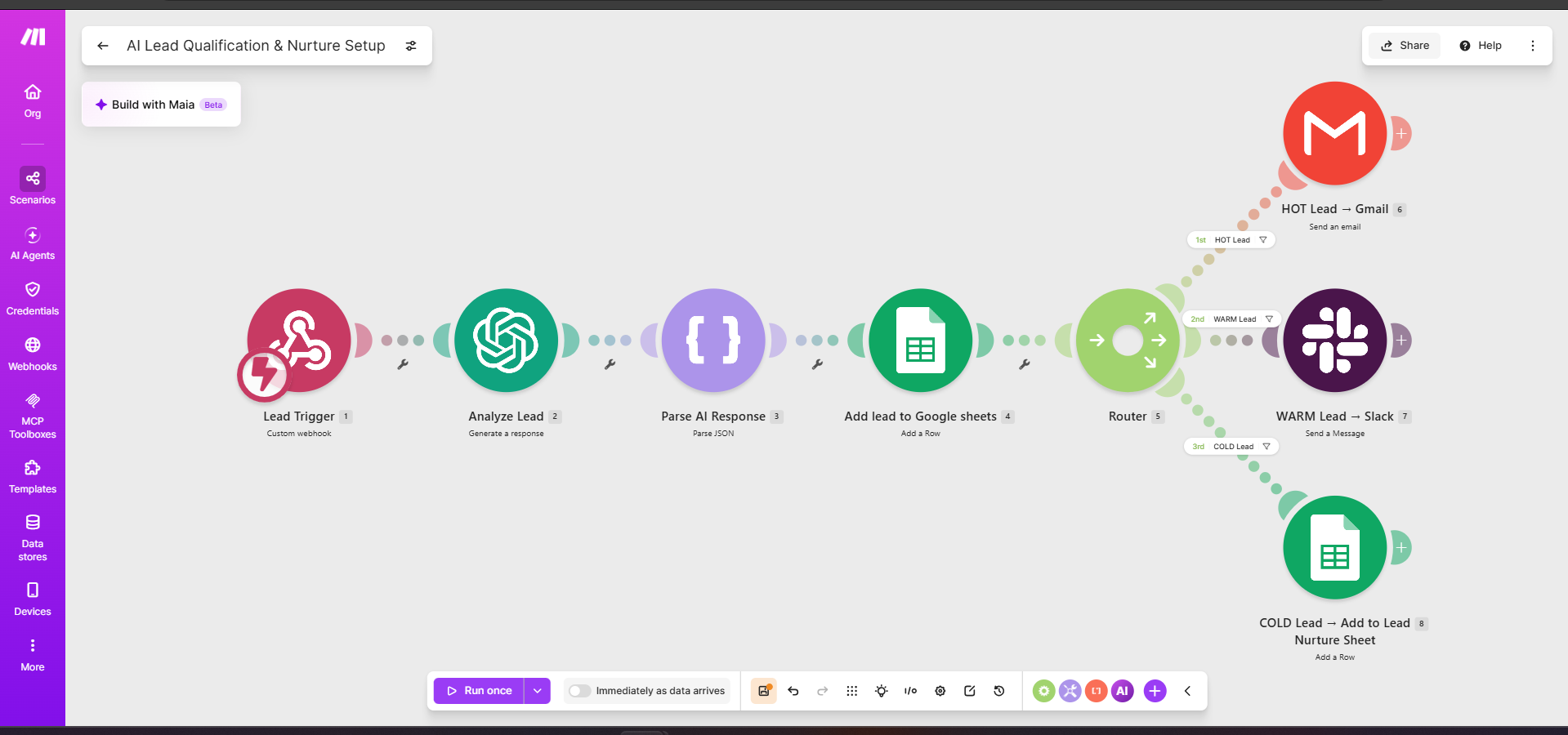
AI lead qualification and routing workflow built in Make.com

Lead Qualification Architecture

New leads enter through a webhook and are analyzed by OpenAI. The AI converts each inquiry into structured sales data including a lead score, lead temperature, intent, summary, and recommended action.

The result is stored in Google Sheets before Make routes the lead according to its qualification.
02
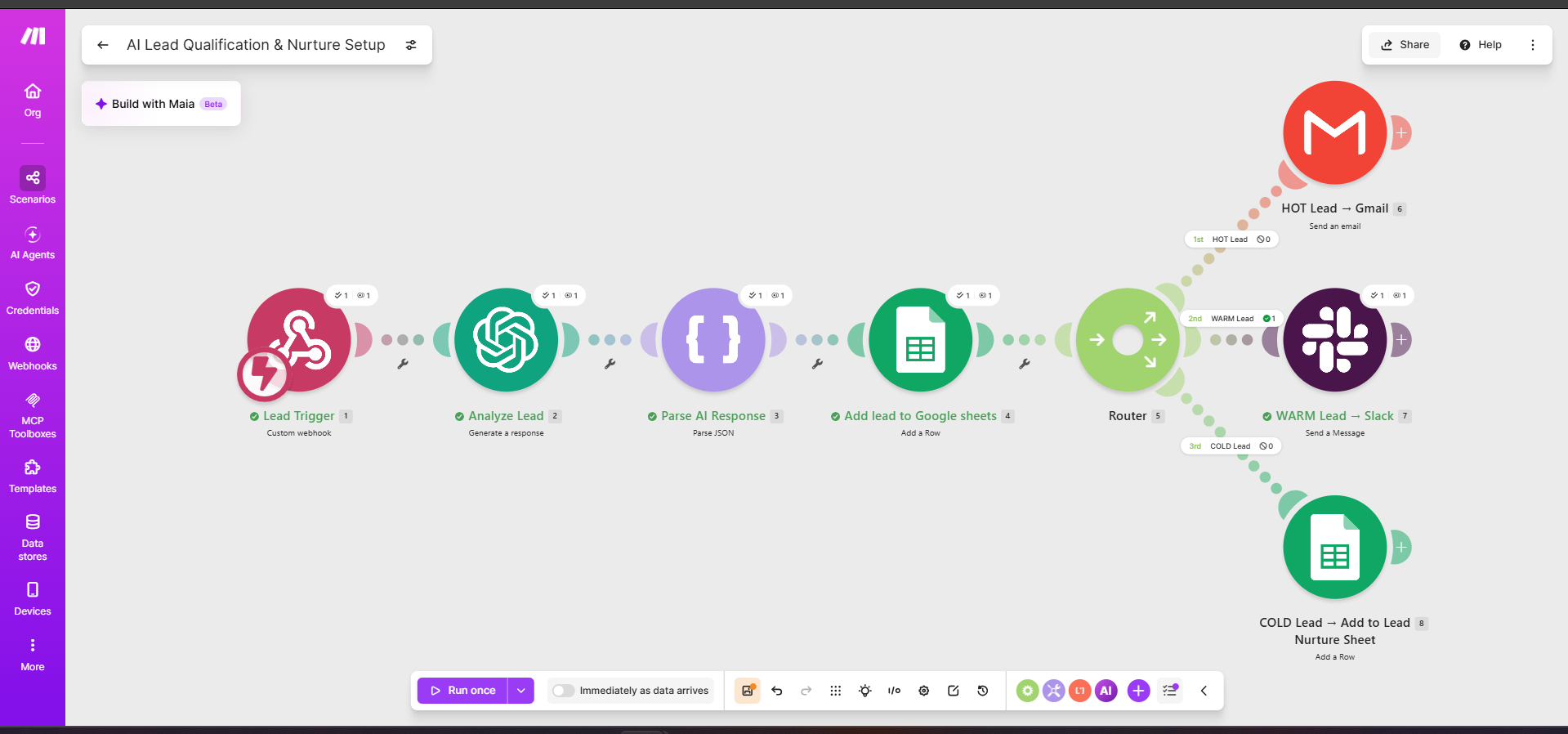
Warm lead route executing in Make.com

WARM Lead Routing

A lead showing genuine interest but not yet displaying strong enough buying signals is classified as WARM.

Make routes the lead to Slack so the sales team receives the context immediately without treating the prospect as sales-ready.

03
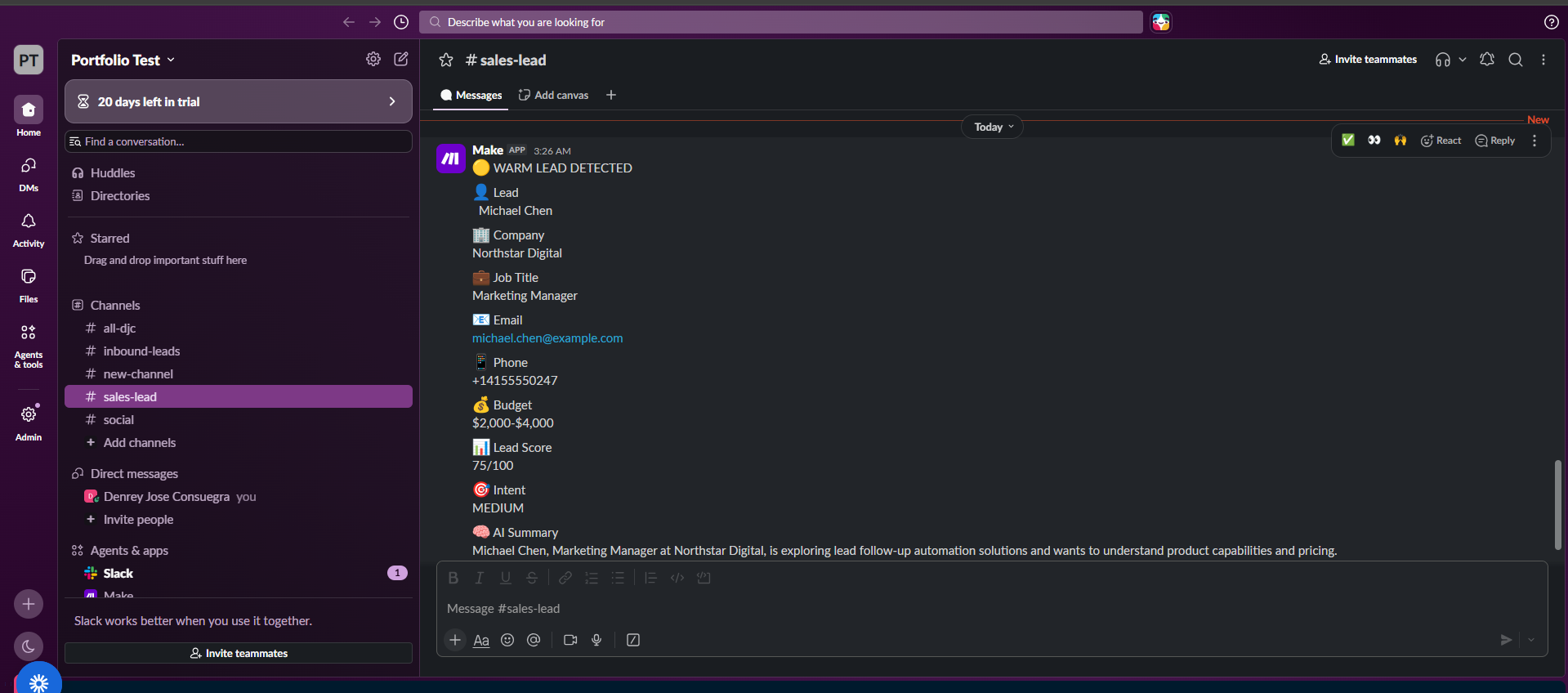
Automated warm lead notification sent to Slack

Sales Team Notification

The automated Slack notification gives the team the information needed to evaluate the lead, including contact details, budget, qualification score, intent, and an AI-generated summary.

This reduces the need to manually inspect every form submission before deciding what to do next.

04
Hot lead route executing in Make.com

HOT Lead Prioritization

High-intent inquiries are routed directly to Gmail. The workflow prioritizes prospects showing stronger buying signals such as an approved budget, a defined requirement, and a near-term timeline.

05
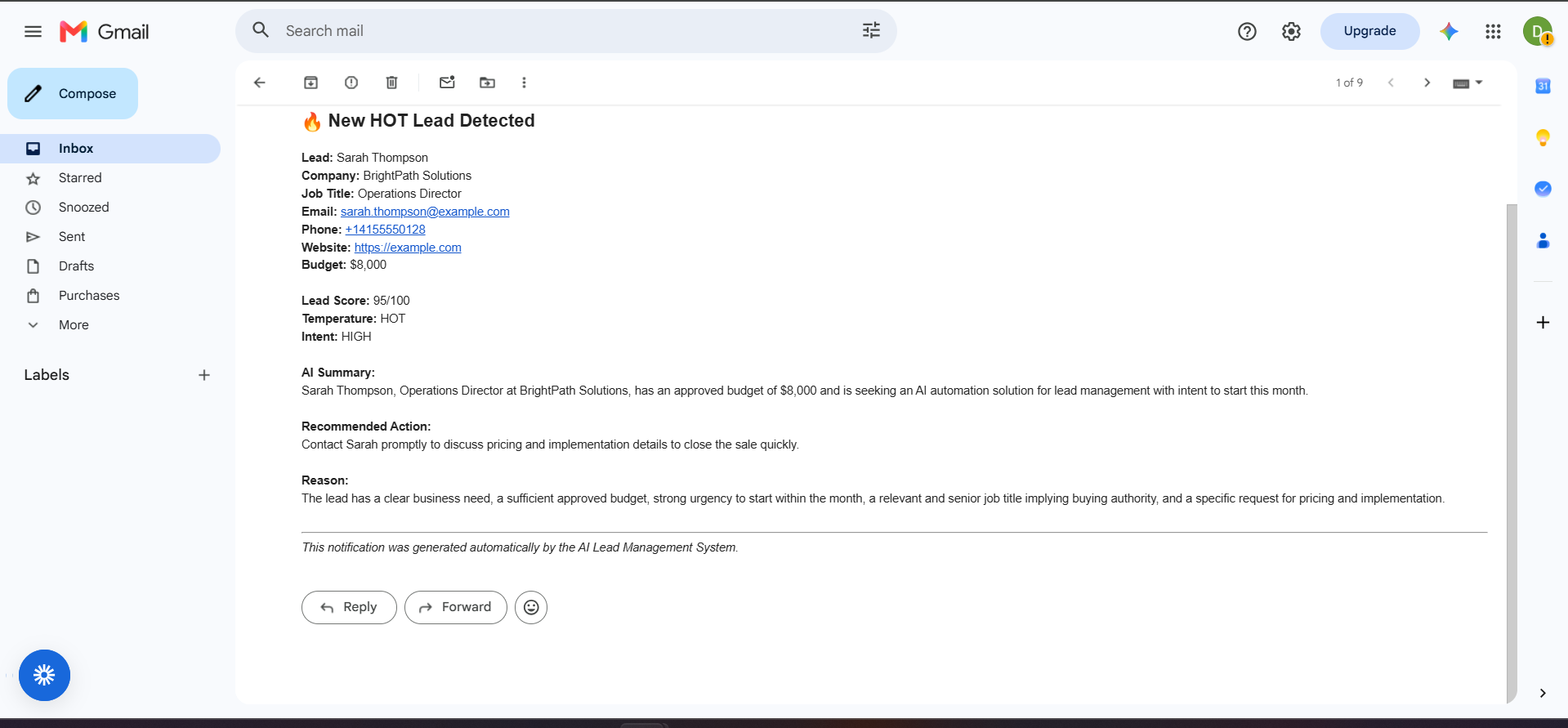
Automated hot lead Gmail notification

HOT Lead Email Notification

The automated Gmail notification includes the lead's contact information, qualification score, AI summary, recommended action, and the reasoning behind the classification.

This gives the person handling the lead useful context before making contact.

06
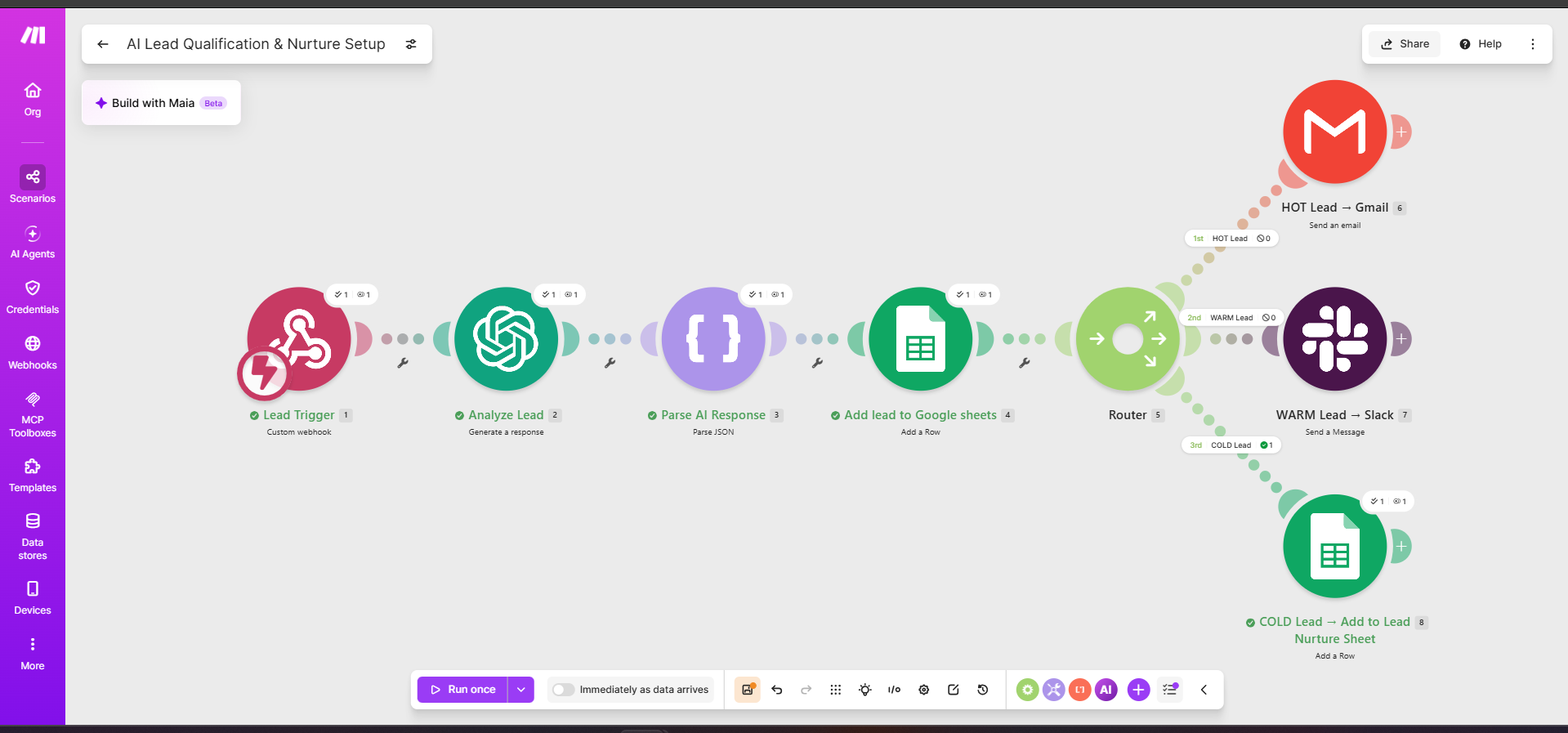
Cold lead nurture route executing in Make.com

COLD Lead Nurturing

Low-intent leads are not discarded. Instead, Make adds them to a separate nurture queue with a future follow-up date.

This allows the business to maintain contact without requiring immediate sales attention for prospects who are still researching or exploring their options.

07
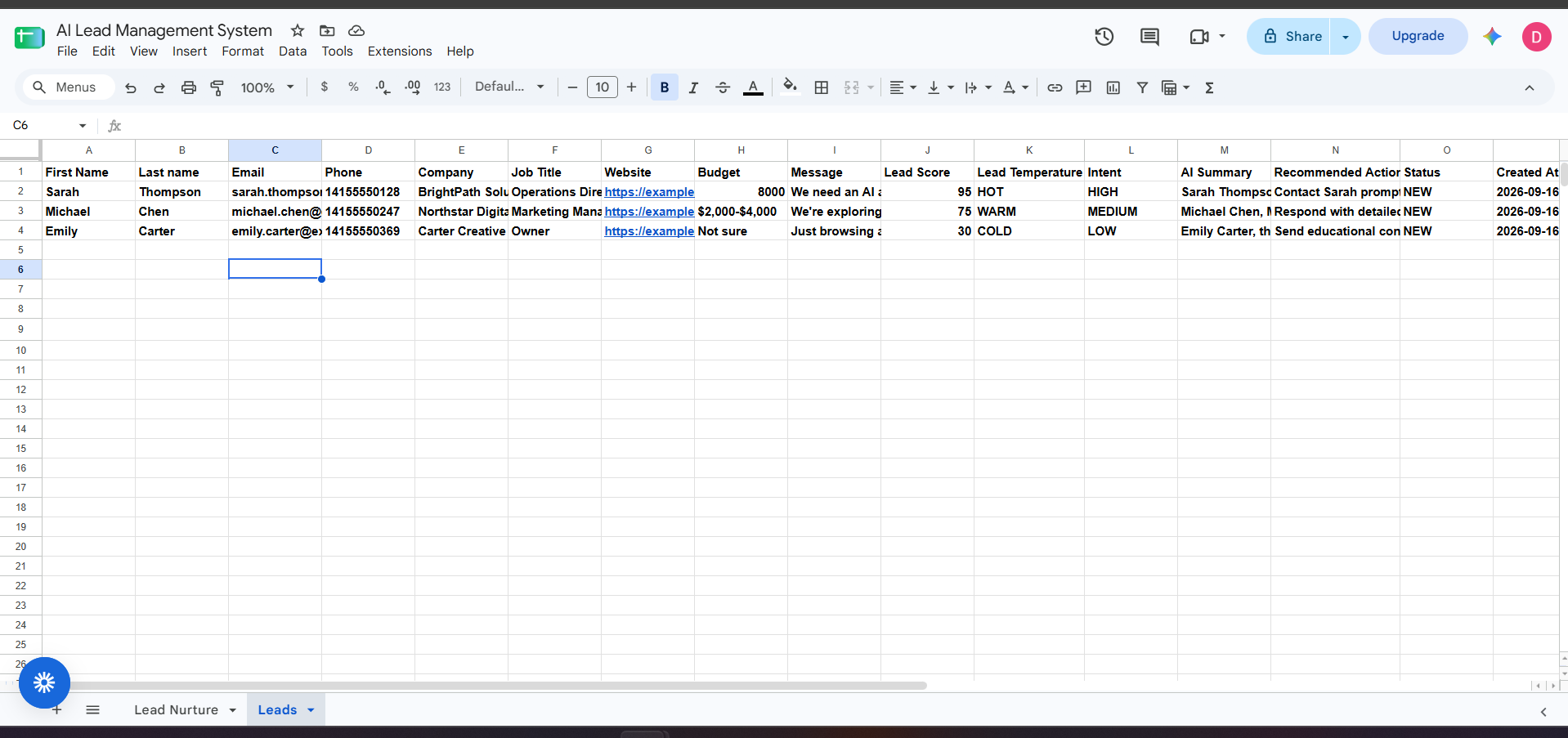
Google Sheets database containing AI-qualified leads

Central Lead Database

Every analyzed lead is recorded in Google Sheets, creating a simple central database containing both the original inquiry and the AI-generated qualification information.

HOT, WARM, and COLD leads can therefore be reviewed from one place using consistent qualification fields.

08
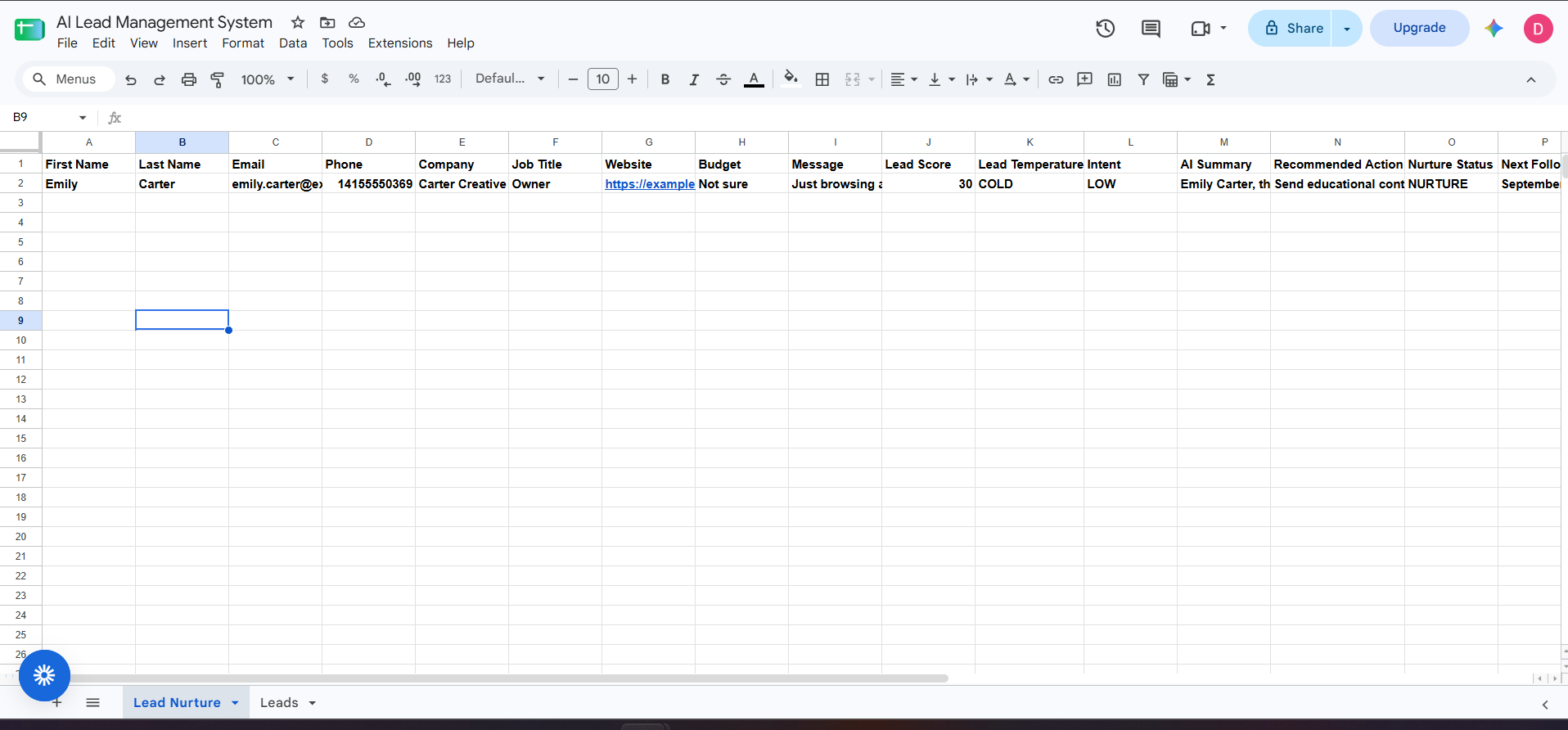
Google Sheets lead nurture queue with scheduled follow-up date

Lead Nurture Queue

Cold leads receive a NURTURE status and a scheduled Next Follow-up date.

These fields provide the second automation with a clear state and date to monitor, creating a connection between initial qualification and future follow-up.

Scheduled AI Follow-Up

The second workflow monitors nurtured leads and automatically handles follow-up once a lead reaches its scheduled date.

09
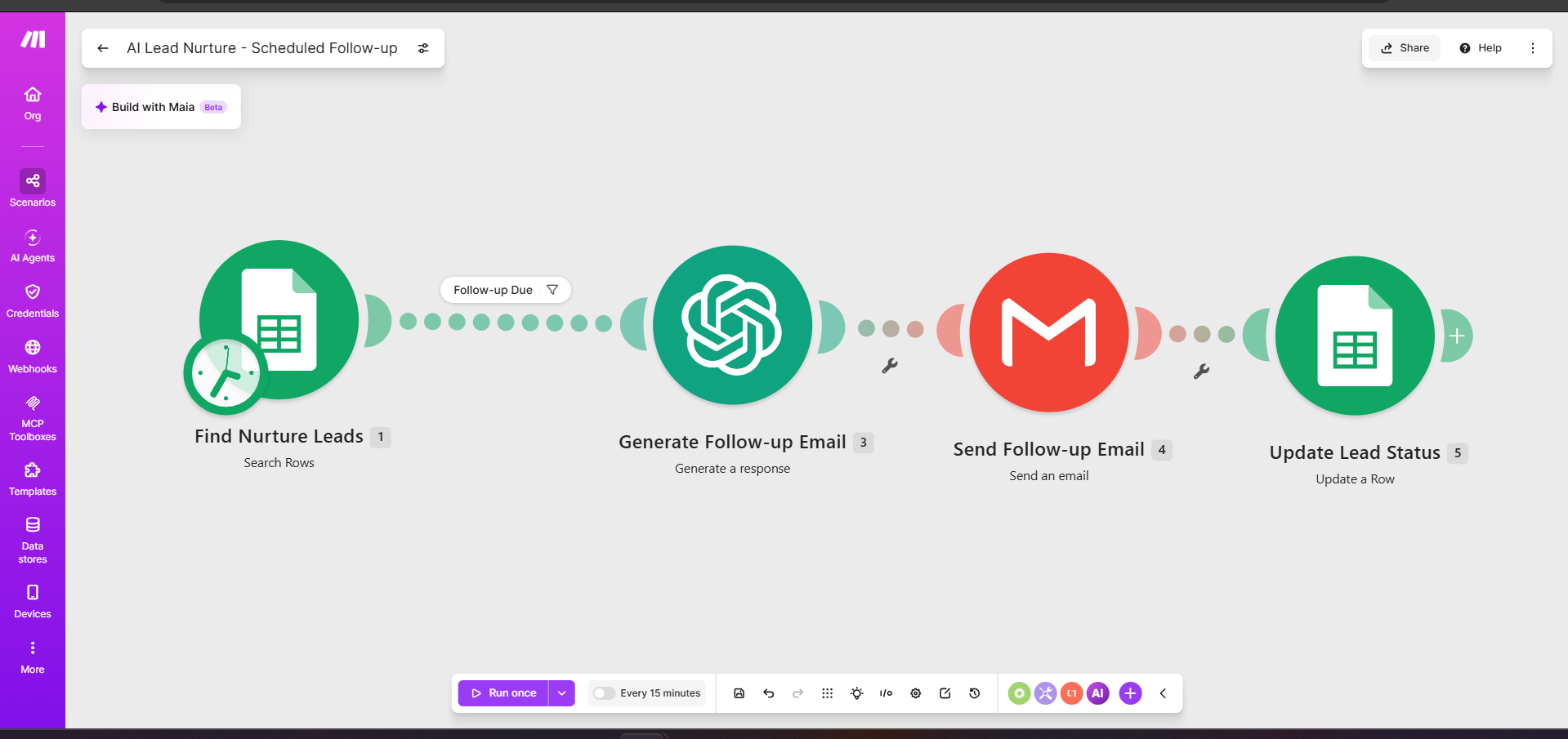
Scheduled AI lead follow-up workflow built in Make.com

Scheduled Follow-Up Automation

Every 15 minutes, the scheduled workflow checks the nurture sheet for eligible leads.

A lead proceeds only when its status is NURTURE and its scheduled follow-up date is due. OpenAI then generates the follow-up, Gmail sends it, and Make updates the lead record.

10
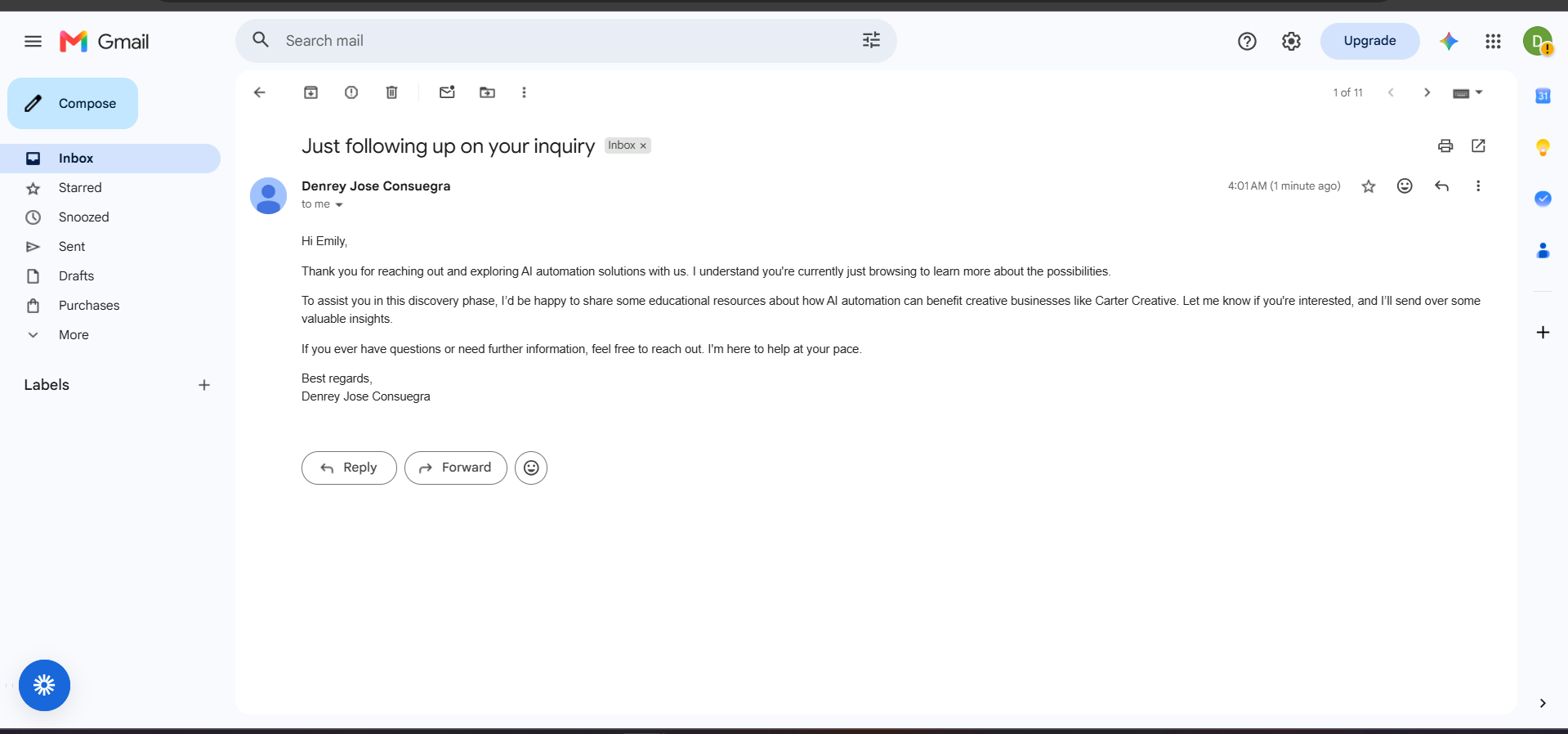
Personalized AI generated lead follow-up email

Personalized AI Follow-Up

The follow-up message is generated using the context captured from the lead's original inquiry rather than relying on a single generic email template.

For a low-intent prospect, the message stays educational and low-pressure while keeping the conversation open.

11
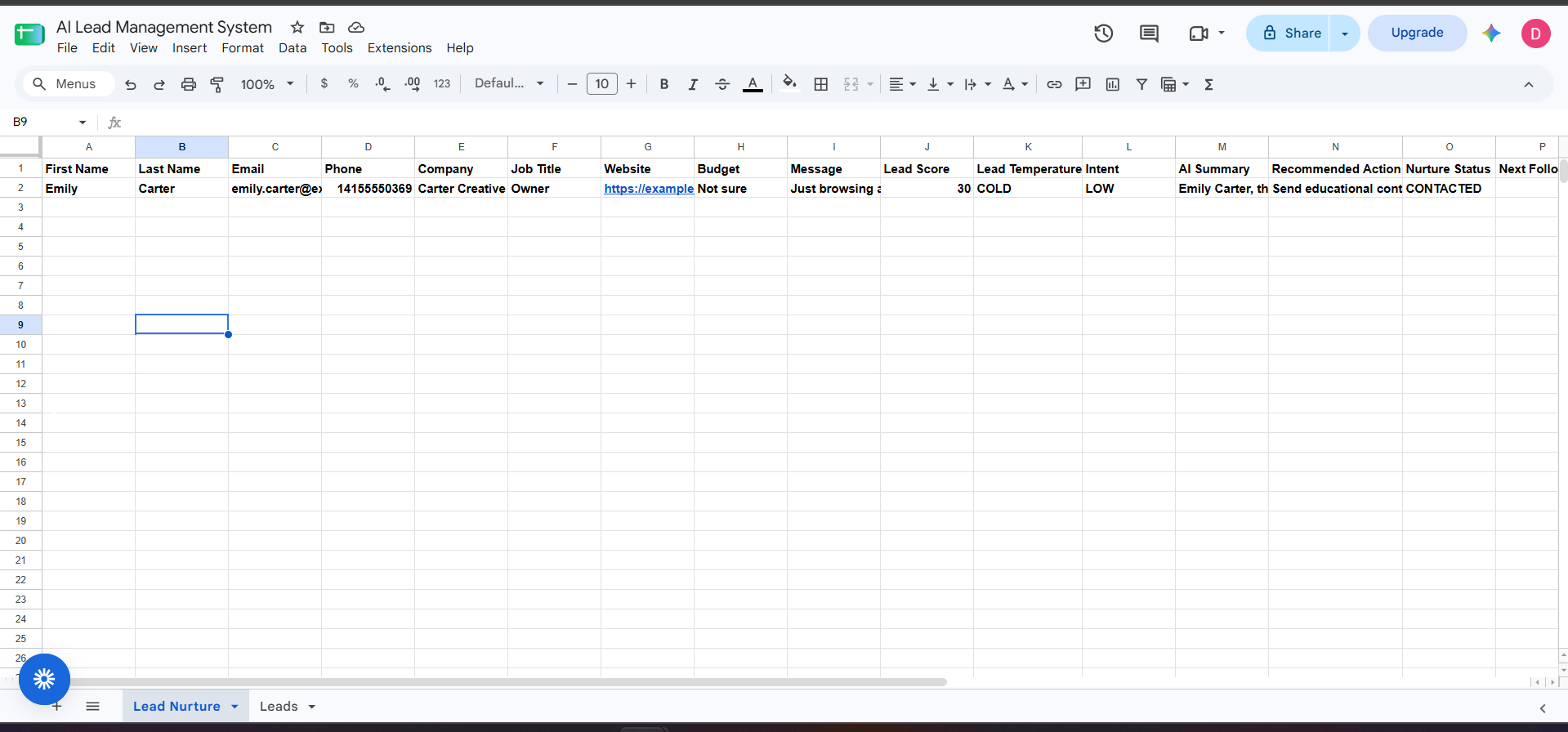
Lead status updated after automated follow-up

Automatic Status Update

After the email is successfully sent, Make changes the lead status to CONTACTED, increments the follow-up count, and clears the Next Follow-up field.

Updating the workflow state prevents the same lead from being processed repeatedly during future scheduled runs.

From incoming inquiry to automated follow-up.

01

Faster qualification

AI analyzes incoming inquiries and creates consistent qualification data automatically.

02

Better prioritization

High-intent opportunities can be surfaced quickly while other leads follow an appropriate path.

03

Automated nurturing

Lower-intent prospects remain in the pipeline instead of being forgotten after their initial inquiry.

04

Less repetitive work

Qualification, routing, notifications, follow-up, and status updates are handled automatically.

Make.com OpenAI Google Sheets Gmail Slack Webhooks JSON

Need a workflow like this?

I'm available for AI automation projects, workflow builds, and Make.com integrations.

Send me an email

Or contact me directly at consuegradenrey [at] gmail [dot] com